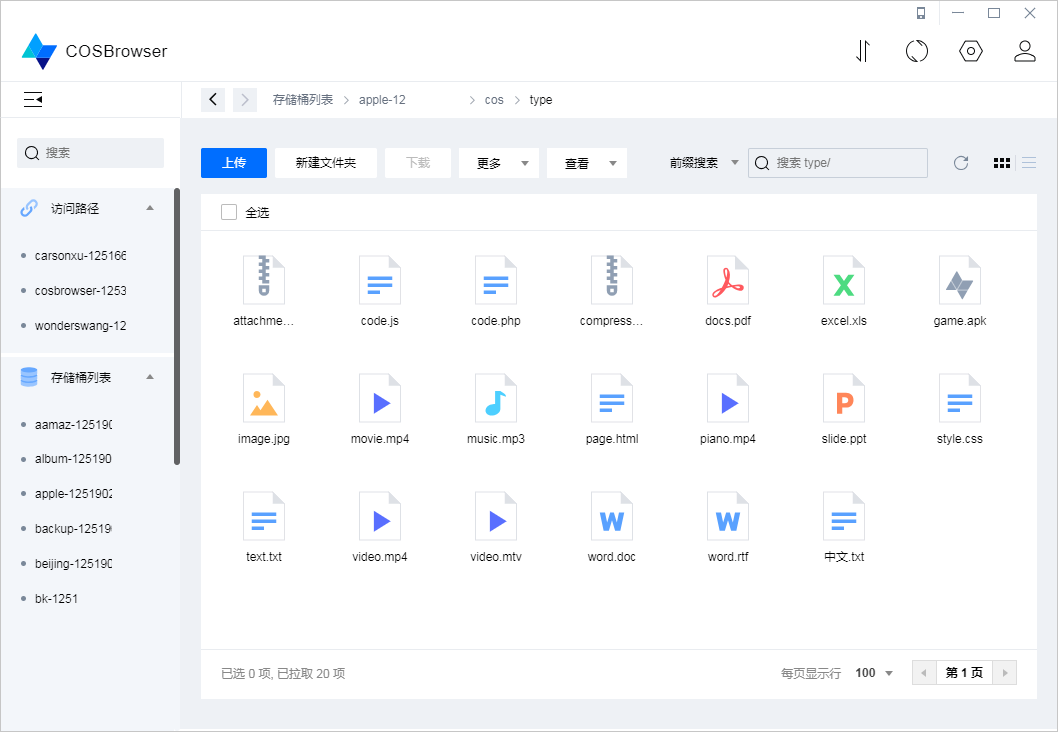
怎么将cos对象存储挂载至本地磁盘

COSFS 工具是一款将腾讯云 COS 挂载到本地的工具,能像使用本地文件系统一样直接操作对象存储中的文件.本文将简单介绍在 Linux 系统中的安装,配置和常规挂载命令,更详细的用法请参考下文中的相关参考链接.

安装
安装依赖软件

sudo yum install automake gcc-c++ git libcurl-devel libxml2-devel fuse-devel make openssl-devel fuse

获取源码

git clone https://github.com/tencentyun/cosfs /usr/cosfs

编译和安装 COSFS

cd /usr/cosfs
./autogen.sh
./configure
make
sudo make install

查看 cosfs 版本号

cosfs --version

配置
获取挂载信息
登录腾讯云 – 控制台 – 对象存储 – 存储桶获取相关信息
BucketName-APPID : test-1250000000 为存储桶名称
区域地址 : https://cos.ap-shanghai.myqcloud.com 存储桶所在的区域域名.
登录腾讯云 – 控制台 – 访问管理
创建子账号并赋予 COS 相关权限,生成SecretId和SecretKey.

SecretId : XXXXXX
SecretKey : XXXXXX
配置密钥文件
官方样本

echo :: > /etc/passwd-cosfs
chmod 640 /etc/passwd-cosfs

示例

echo test-1250000000:AKIDHTVVaVR6e3:PdkhT9e2rZCfy6 > /etc/passwd-cosfs
chmod 640 /etc/passwd-cosfs

挂载
官方样本

cosfs -ourl= -odbglevel=info

相关参数
-o nonempty # 挂载到本地的目录不为空时.
-oallow_other # 允许其他用户访问,允许Web直连下载.

示例
创建挂载路径

mkdir -p /mnt/cosfs

挂载根目录

cosfs test-1250000000 /mnt/cosfs -ourl=https://cos.ap-guangzhou.myqcloud.com -odbglevel=info -onoxattr -oallow_other

如需挂载子目录

cosfs test-1250000000:/my-dir /mnt/cosfs -ourl=https://cos.ap-guangzhou.myqcloud.com -odbglevel=info -onoxattr -oallow_other

卸载

umount -l /mnt/cosfs

测试(先切换至挂载目录)

echo "hello" > text.txt

重启服务器后自动挂载

1、首先在/etc/init.d/目录下建立文件cosfs

修改以下内容并复制至刚创建的文件

挂载根目录,注释要保留


#! /bin/bash
#
# cosfs Automount Tencentyun COS Bucket in the specified direcotry.
# chkconfig: 2345 90 10
# description: Activates/Deactivates cosfs configured to start at boot time.

cosfs test-1250000000 /mnt/cosfs -ourl=https://cos.ap-guangzhou.myqcloud.com -odbglevel=info -onoxattr -oallow_other

如需挂载子目录,替换以下语句,注释要保留

cosfs test-1250000000:/my-dir /mnt/cosfs -ourl=https://cos.ap-guangzhou.myqcloud.com -odbglevel=info -onoxattr -oallow_other

2、添加执行权限

chmod a+x /etc/init.d/cosfs

3、添加启动脚本作为其他服务实现开机自启动

chkconfig cosfs on

这样就实现了开机自动挂载COS。

loadjs javascript动态载入css和js文件

javascript动态载入css和js文件,简单方便,适合模块化设计。
源代码

/**
 * load.js 动态引入css或js文件
 *
 * @author xenice <xenice@qq.com>
 * @date 2017.12.02
 * @example
 * load('file.js');
 *
 */
var load = (function (arg1, arg2){
    var baseUrl=document.scripts;
    baseUrl=baseUrl[baseUrl.length-1].src.substring(0,baseUrl[baseUrl.length-1].src.lastIndexOf("/")+1);
    return function(arg1, arg2){
        var type = typeof arg1;
        if(type == 'string'){ //载入单个js或css文件
            var url = arg1;
            var fn = arg2;
            if(url.indexOf('../') == 0){ //如果是上级路径
                var pUrl = baseUrl.substr(0, baseUrl.lastIndexOf('/',baseUrl.length - 2) + 1);
                url = pUrl + url.substr(3);
            }
            else if(url.indexOf('/') != 0 && url.indexOf('http://') != 0 && url.indexOf('https://') != 0){ //如果不是绝对路径
                url = baseUrl + url;
            }

            var tmp = url.substr(url.lastIndexOf(".")); //获取文件后缀
            if(tmp == ".js"){
                var head = document.querySelector('head');
                var script = document.createElement('script');
                script.src = url;
                script.type = 'text/javascript';
                script.onload = fn;
                head.appendChild(script);

            }
            else if(tmp == ".css"){
                var head = document.querySelector('head');
                var link = document.createElement('link');
                link.href = url;
                link.rel = 'stylesheet';
                link.type = 'text/css';
                head.appendChild(link);
            }
            else{
                console.log(url + " 文件后缀错误");
            }
        }
        else if(type == "object" && arg1 instanceof Array){
            var arr = arg1;
            var fn = arg2;
            if(arr.length > 1){
                load(arr.shift(), function(){
                    load(arr, fn);
                });
            }
            else{
                load(arr.shift(), fn);
            }

        }
        else{
            console.log('第1个参数类型错误');
        }
    }

})();

实例

// 动态载入js文件
load('file.js');

// 动态载入css文件
load('file.css');

// 动态载入多个文件
load(['file1.css','file.js']);

// 载入文件并回调函数
load('file.js',function(){
    //执行代码
});

// 载入上一级文件
load(['../file1.js','file2.js','file3.js'],function(){
    //执行代码
});
load(['file1.js','file2.js','file3.js'],function(){
    //执行代码
});

Bootstrap4显示和隐藏元素

Update for Bootstrap 4 (2018)

The hidden-* and visible-* classes no longer exist in Bootstrap 4. If you want to hide an element on specific tiers or breakpoints in Bootstrap 4, use the d-* display classes accordingly.

Remember that extra-small/mobile (formerly xs) is the default (implied) breakpoint, unless overridden by a larger breakpoint. Therefore, the -xs infix no longer exists in Bootstrap 4.

Show/hide for breakpoint and down:

hidden-xs-down (hidden-xs) = d-none d-sm-block
hidden-sm-down (hidden-sm hidden-xs) = d-none d-md-block
hidden-md-down (hidden-md hidden-sm hidden-xs) = d-none d-lg-block
hidden-lg-down = d-none d-xl-block
hidden-xl-down (n/a 3.x) = d-none (same as hidden)

Show/hide for breakpoint and up:

hidden-xs-up = d-none (same as hidden)
hidden-sm-up = d-sm-none
hidden-md-up = d-md-none
hidden-lg-up = d-lg-none
hidden-xl-up (n/a 3.x) = d-xl-none

Show/hide only for a single breakpoint:

hidden-xs (only) = d-none d-sm-block (same as hidden-xs-down)
hidden-sm (only) = d-block d-sm-none d-md-block
hidden-md (only) = d-block d-md-none d-lg-block
hidden-lg (only) = d-block d-lg-none d-xl-block
hidden-xl (n/a 3.x) = d-block d-xl-none
visible-xs (only) = d-block d-sm-none
visible-sm (only) = d-none d-sm-block d-md-none
visible-md (only) = d-none d-md-block d-lg-none
visible-lg (only) = d-none d-lg-block d-xl-none
visible-xl (n/a 3.x) = d-none d-xl-block

Demo of the responsive display classes in Bootstrap 4
Also, note that d-*-block can be replaced with d-*-inline, d-*-flex, d-*-table-cell, d-*-table etc.. depending on the display type of the element. Read more on the display classes

Bootstrap4显示和隐藏元素

Reference: https://stackoverflow.com/questions/35351353/missing-visible-and-hidden-in-bootstrap-v4

怎么上传项目到github及git常用命令

初始化一个空仓库

git init

关联远程仓库

git remote add origin [url]

拉取远程内容

git pull

将远程仓库复制至到本地

git clone [url]

推送本地内容到远程仓库

git push origin master

添加到缓存区

git add . #把新增的、修改的都加到缓存
git add -u #把修改的、删除的都加到缓存
git add -A #把新增、修改的、删除的都加到缓存

把缓存区的所有内容提交到当前分支

git commit -m '本次提交的备注'

查看当前git状态信息(查看是否有文件未提交)

git status

第一次关联远程仓库时需配置授权

创建SSH Key (需要生成 id_rsa私钥 和 id_rsa.pub公钥两个文件)
登录GitHub,复制 id_rsa.pub 内容至SSH Key,可允许添加多个SSH。

ssh-keygen -t rsa -C "youremail@example.com"

设置账号和邮箱

git config --global user.name "Your Name"
git config --global user.email "youremail@example.com"

查看git的配置信息

git config -l

设置token

// <your_token>:包括<>在内的全部字符替换成你的token
// <USERNAME>:包括<>在内的全部字符替换成你的username
// <REPO>:包括<>在内的全部字符替换成你要访问的仓库名称
git remote set-url origin  https://<your_token>@github.com/<USERNAME>/<REPO>.git

WordPress 自定义查询 WP_Query所有参数详细注释

<?php
/**
* WordPress 查询综合参考
* 编译:luetkemj - luetkemj.com
*
* 官方文档: http://codex.wordpress.org/Class_Reference/WP_Query
* 源代码: http://core.trac.wordpress.org/browser/tags/3.5.1/wp-includes/query.php
*/
$args = array(
/**
* 作者参数 - 显示某些作者发表的文章
*/
'author' => '1,2,3,' //(整数) - 作者ID [使用减号 (-) 排除某个作者 ID, 如: 'author' => '-1,-2,-3,']
'author_name' => 'luetkemj', //(字符串) - 使用 'user_nicename' 用户昵称,(不是名称)
/**
* 分类参数 - 显示某个分类里面的文章
*/
'cat' => 5,//(整数) - 分类id
'category_name' => 'staff', 'news', //(字符串) - 分类别名(不是名称)
'category__and' => array( 2, 6 ), //(数组) - 分类id
'category__in' => array( 2, 6 ), //(数组) - 分类id
'category__not_in' => array( 2, 6 ), //(数组) - 分类id
/**
* 标签参数 - 显示含有某些标签的文章
*/
'tag' => 'cooking', //(字符串) - 标签别名
'tag_id' => 5, //(整数) -标签id
'tag__and' => array( 2, 6), //(数组) - 标签id
'tag__in' => array( 2, 6), //(数组) - 标签id
'tag__not_in' => array( 2, 6), //(数组) - 标签id
'tag_slug__and' => array( 'red', 'blue'), //(数组) - 标签别名
'tag_slug__in' => array( 'red', 'blue'), //(数组) - 标签别名
/**
* 自定义分类法参数 - 显示某些自定义分类法里面的文章
* 重要提示: tax_query 使用多维数组
* 这种查询结构允许我们查询多个自定义分类法
*/
'tax_query' => array( //(数组) - 使用自定义分类法查询参数 (3.1及以后版本可用).
  'relation' => 'AND', //(字符串) - 可用的值有 'AND' 或 'OR' 和 SQL 的 JOIN 作用是相同的
  array(
    'taxonomy' => 'color', //(字符串) - 自定义分类法
    'field' => 'slug', //(字符串) - 使用别名还是分类作为查询条件 ('id' 或 'slug')
    'terms' => array( 'red', 'blue' ), //(整数/字符串/数组) - 自定义分类法分类条目
    'include_children' => true, //(布尔值) - 是否包含自分类,默认为真
    'operator' => 'IN' //(字符串) - 测试条件,可用值为 'IN', 'NOT IN', 'AND'.
  ),
  array(
    'taxonomy' => 'actor',
    'field' => 'id',
    'terms' => array( 103, 115, 206 ),
    'include_children' => false,
    'operator' => 'NOT IN'
   )
),
/**
* 文章 & 页面参数- 基于文章或页面参数显示文章
*/
'p' => 1, //(整数) - 文章id
'name' => 'hello-world', //(字符串) - 文章别名
'page_id' => 1, //(整数) - 页面id
'pagename' => 'sample-page', //(字符串) - 页面别名
'pagename' => 'contact_us/canada', //(字符串) - 用斜杠‘/’分割的父页面别名/子页面别名来显示子页面
'post_parent' => 1, //(整数) - 页面id,只返回子页面,只对有子页面的页面有效
'post__in' => array(1,2,3), //(数组) - 需要显示的文章的id
'post__not_in' => array(1,2,3), //(数组) - 需要排除的文章的id
//注意:不能在同一个查询里同时使用 'post__in' 和 'post__not_in'
/**
* 文章类型 & 状态参数 - 显示某些文章类型里面的文章
*/
'post_type' => array( //(字符串/ 数组) - 文章类型,根据文章类型获取文章,默认为'post'
    'post', // - 文章
    'page', // - 页面
    'revision', // - 文章版本
    'attachment', // - 附件,默认 WP_Query 设置了发布状态为 'post_status'=>'published', 但是附件默认为 'post_status'=>'inherit',所以你需要设置状态为 'inherit' 或'any'.
    'my-post-type', // - 自定义文章类型 (例如:movies)
),
'post_status' => array( //(字符串 / 数组) - 使用文章状态,根据文章状态获取文章,默认为 'publish'
    'publish', // - 已发布的文章或页面
    'pending', // -等待复审的文章
    'draft', // - 处于草稿状态的文章
    'auto-draft', // - 自动保存为草稿的文章
    'future', // - 定时发布的文章
    'private', // - 未登录用户不能查看的私有文章
    'inherit', // - 版本. 具体参考 get_children.
    'trash' // - 回收站中的文章 (2.9和以后的版本可用).
),
//注意:The 'any' 关键字可以用在 post_type 和 post_status 查询,但是不能在数组中使用
'post_type' => 'any', // - 获取所有文章类型里面的文章,除了版本和文章类型参数'exclude_from_search'设置为true的文章类型
'post_status' => 'any', // - 获取处于所有文章状态的文章,除了版本和文章类型参数'exclude_from_search'设置为true的文章类型
/**
* 分页参数
*/
'posts_per_page' => 10, //(整数) - 每页显示的文章数量 (2.1和以后的版本可用), 使用'posts_per_page'=-1 显示所有文章,如果查询处于订阅源中,WordPress用 'posts_per_rss' 选项覆盖了这里的设置,需要使用这个限制,尝试使用 'post_limits' 过滤器,或使用 'pre_option_posts_per_rss'过滤器返回 -1
'posts_per_archive_page' => 10, //(整数) - n每页显示的文章数量 - 只在存档页面使用,在存档页面和搜索结果页面覆盖了 showposts 和 posts_per_page 参数
'nopaging' => false, //(布尔值) - 在一页显示所有文章或使用分页,默认值为 'false', 使用分页
'paged' => get_query_var('paged'), //(整数) - 页数,分页时显示第几页
//注意:使用 get_query_var('page'); 如果查询在设置为首页的页面模版中工作,查询参数 'page' 拥有文章分页或内容中使用 <!--nextpage--> 快捷代码的分页。
/**
* 偏移参数
*/
'offset' => 3, //(int) - 跳过的文章数量
/**
* 排序 & 排序方式参数 - 对获取的文章进行排序
*/
'order' => 'DESC', //(字符串) - 设置 'order_by' 参数升序或降序排列. 默认为'DESC'.
//Possible Values:
//'ASC' - 升序排列,从小到大 (1, 2, 3; a, b, c).
//'DESC' - 降序排列,从大到小 (3, 2, 1; c, b, a).
'orderby' => 'date', //(字符串) - 排序依据. 默认为 'date'.
//可用的参数有://
//'none' - 不排序 (2.8和以后的版本可用)
//'ID' - 根据ID排序,注意ID是大写的
//'author' - 根据作者排序
//'title' - 根据标题排序
//'date' - 根据发表时间排序
//'modified' - 根据最后修改时间排序
//'parent' - 根据父页面排序
//'rand' - 随机排序
//'comment_count' - 根据评论数量排序 (2.9和以后的版本可用).
//'menu_order' - 根据页面序号排序. 通常在页面中使用 (编辑页面时有一个页面序号的字段) 和附件 ( 插入 / 上传媒体相册对话框中的数字), 但是不能对文章类型 'menu_order' 使用数字值 (默认都为 0).
//'meta_value' - 注意'meta_key=keyname' 必须也出现在查询中. 注意排序是按照字母表顺序进行的。(如:words),但是数字排序可能会有问题 (如:1, 3, 34, 4, 56, 6, etc, 而不是你希望的:1, 3, 4, 6, 34, 56)。
//'meta_value_num' - 根据数字meta值排序 (2.8和以后的版本中可用). 同时需要注意'meta_key=keyname' 也要在查询中声明。这个值和上面说明的 'meta_value' 一样,只不过值允许使用数字排序。
//'title menu_order' - 同时使用 menu_order 和 title 排序 更多信息请参考:http://wordpress.stackexchange.com/questions/2969/order-by-menu-order-and-title
//'post__in' - 使用 post__in 数组中制定的 ID 顺序 (3.5以后的版本中可用).
/**
* 置顶文章参数 - 显示或忽略置顶文章
*/
'ignore_sticky_posts' => false, //(布尔值) - 是否忽略置顶文章,默认为假不忽略. 在返回文章的开头忽略/排除置顶文章,但是置顶文章还是会在自然查询中列出。
//注意:关于置顶文章的更多信息,请参考:http://codex.wordpress.org/Class_Reference/WP_Query#Sticky_Post_Parameters
/**
* 时间参数 - 显示某个时间段内的文章
*/
'year' => 2012, //(int) - 4 个数字的年份 (如:2011)
'monthnum' => 3, //(int) - 月份数字 (从 1 到 12)
'w' => 25, //(int) - 一年中的第几周 (从 0 到 53), 使用 MySQL WEEK 命令,此模式和"start_of_week" 选项相关
'day' => 17, //(int) - 月中的天数 (从 1 到 31)
'hour' => 13, //(int) - 小时 (从 0 到 23).
'minute' => 19, //(int) - 分钟 (从 0 到 60).
'second' => 30, //(int) - 秒 (从 0 到 60).
/**
* 自定义字段参数 - 显示拥有某个自定义字段的文章
*/
'meta_key' => 'key', //(字符串) - 自定义字段的键
'meta_value' => 'value', //(字符串) - 自定义字段的值
'meta_value_num' => 10, //(数字) - 自定义字段的值
'meta_compare' => '=', //(字符串) - 测试'meta_value'的操作。可用的值有'!=', '>', '>=', '<', or ='. 默认为 '='.
'meta_query' => array( //(数组) - 自定义字段参数 (3.1和以后的版本可用).
array(
    'key' => 'color', //(字符串) - 自定义字段的键
    'value' => 'blue' //(字符串/数组) - 自定义字段的值 (注意:数组的支持仅限于一个比较值: 'IN', 'NOT IN', 'BETWEEN', or 'NOT BETWEEN')
    'type' => 'CHAR', //(字符串) -自定义字段类型,可用的值有:'NUMERIC', 'BINARY', 'CHAR', 'DATE', 'DATETIME', 'DECIMAL', 'SIGNED', 'TIME', 'UNSIGNED',默认为    'CHAR'
    'compare' => '=' //(字符串) - 测试的操作,可用的值有: '=', '!=', '>', '>=', '<', '<=', 'LIKE', 'NOT LIKE', 'IN', 'NOT IN', 'BETWEEN', 'NOT BETWEEN'. 默认为:'='
),
array(
    'key' => 'price',
    'value' => array( 1,200 ),
    'compare' => 'NOT LIKE'
)
/**
* 权限参数 - 显示已发布文章,如果用户有合适的权限,同样现实私有文章:
*/
'perm' => 'readable' //(字符串) 可用的值有:'readable', 'editable' (可能还有其他可用的值我没有测试)
/**
* 与缓存相关的参数
*/
'no_found_rows' => false, //(布尔值) 默认为假,为了分页,WordPress 在大多数查询中使用 SQL_CALC_FOUND_ROWS 查询, 即使你不需要分页,通过设置这个参数为真,我们告诉了了WordPress不要查询数据总行数,从而降低数据库负载,如果设置了这个参数为真,分页将不工作,更多信息请参考:http://flavio.tordini.org/speed-up-wordpress-get_posts-and-query_posts-functions
'cache_results' => true, //(布尔值) 默认为真
'update_post_term_cache' => true, //(布尔值) 默认为真
'update_post_meta_cache' => true, //(布尔值) 默认为真
//注意:缓存是个好东西,通常不建议设为假,更多信息请参考:http://codex.wordpresorg/Class_Reference/WP_Query#Permission_Parameters
/**
* 搜索参数
*/
's' => $s, //(字符串) - 传递搜索变量到搜索功能,更多信息请参考: http://www.wprecipes.com/how-to-display-the-number-of-results-in-wordpress-search
'exact' => true //(布尔值) - 只匹配完整的titles/posts的信号 - 默认值为假,更多信息请参考:https://gist.github.com/2023628#gistcomment-285118
'sentence' => true //(布尔值) - 进行短语搜索的信号-默认值为假,更多信息请参考:https://gist.github.com/2023628#gistcomment-285118
/**
* 文章字段参数
*/
//关于文章字段参数信息,请参考http://codex.wordpress.org/Class_Reference/WP_Query#Post_Field_Parameters
/**
* 过滤器
*/
//关于过滤器的更多信息,请参考:http://codex.wordpress.org/Class_Reference/WP_Query#Filters
);
$the_query = new WP_Query( $args );
// 循环开始
if ( $the_query->have_posts() ) :
    while ( $the_query->have_posts() ) : $the_query->the_post();
        // 输出内容
    endwhile;
endif;
// 重置文章数据
wp_reset_postdata();

BootStrap4 文本颜色和背景颜色

文本颜色

<!-- BootStrap4 文字颜色 -->
<p class="text-muted">柔和的文本</p>
<p class="text-primary">重要的文本</p>
<p class="text-success">执行成功的文本</p>
<p class="text-info">代表提示信息的文本</p>
<p class="text-warning">警告文本</p>
<p class="text-danger">危险操作文本</p>
<p class="text-secondary">副标题</p>
<p class="text-dark">深灰色文本</p>
<p class="text-light">浅灰色文本</p>
<p class="text-white">白色文本</p>

柔和的文本

重要的文本

执行成功的文本

代表提示信息的文本

警告文本

危险操作文本

副标题

深灰色文本

浅灰色文本

白色文本

背景颜色

<!-- BootStrap4 背景颜色 -->
<p class="bg-primary text-white">重要的背景颜色</p>
<p class="bg-success text-white">执行成功的背景颜色</p>
<p class="bg-info text-white">信息提示背景颜色</p>
<p class="bg-warning text-white">警告背景颜色</p>
<p class="bg-danger text-white">危险背景颜色</p>
<p class="bg-secondary text-white">副标题背景颜色</p>
<p class="bg-dark text-white">深灰背景颜色</p>
<p class="bg-light text-dark">浅灰背景颜色</p>

重要的背景颜色

执行成功的背景颜色

信息提示背景颜色

警告背景颜色

危险背景颜色

副标题背景颜色

深灰背景颜色

浅灰背景颜色

nslookup命令 怎么查看域名的DNS服务器

首先打开命令行:开始→运行→输入cmd,然后回车就可以打开命令行。

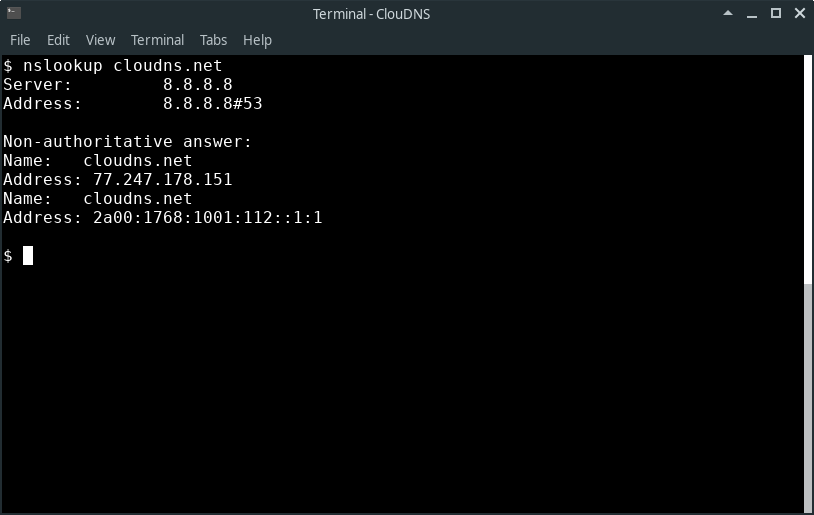
1.查询域名A记录是否生效,也就是域名是否解析成功

使用方法:nslookup 域名

2.查询域名的MX记录是否生效

使用方法:nslookup -qt=mx 域名

3.查询域名的DNS是使用的哪家公司的DNS服务器

使用方法:nslookup -qt=ns 域名

4.如果需要查看域名的别名记录(CNAME记录)

使用方法:nslookup -qt=cname 域名,回车即可得到域名解析的别名记录。